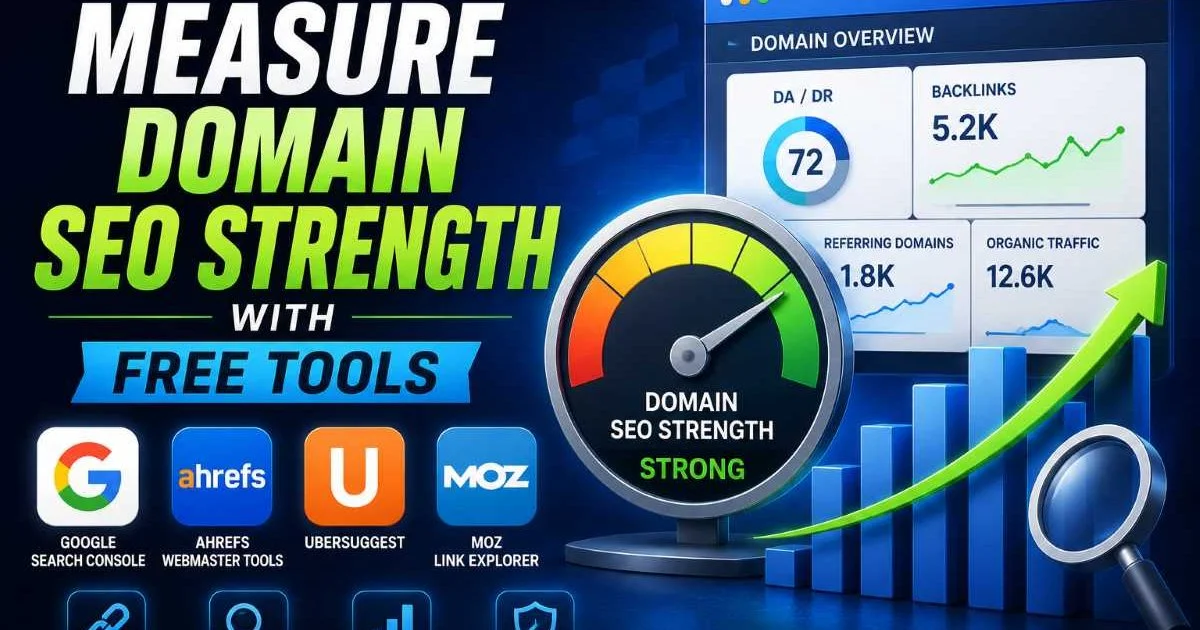
To measure domain SEO strength accurately, you don't need to spend hundreds of dollars on premium software subscriptions. Free tools offer surprisingly robust insights into how your domain performs across search engines, how authoritative your backlink profile looks, and where your keyword rankings stand relative to competitors.
The challenge for most digital marketers isn't access to data; it's knowing which metrics matter, which free tools deliver reliable results, and how to synthesize everything into a coherent picture. This guide walks you through a practical, step-by-step process for evaluating your domain's SEO health without touching your budget.
Understanding what domain SEO strength means and how it works is the foundation you'll build on throughout this process. Whether you're auditing your own site or benchmarking a competitor, these steps will give you actionable clarity.
Key Takeaways
- You can measure domain SEO strength effectively using only free tools and platforms.
- Google Search Console provides the most reliable first-party data on your site's performance.
- Backlink quality matters far more than raw link count when assessing domain strength.
- Combining multiple free tools gives you a more complete and accurate SEO picture.
- Regular audits catch technical issues before they erode your rankings and authority.
Step 1: Gather Your Baseline Metrics With Google Tools
Setting Up Google Search Console
Google Search Console (GSC) is your single most valuable free resource when you measure domain SEO strength. It provides first-party data directly from Google, which means you're not relying on estimates or third-party approximations. Verify your domain property, then navigate to the Performance report to review total clicks, impressions, average click-through rate, and average position. These four metrics form the backbone of any honest assessment of your site's search visibility.
Pay special attention to the "Pages" tab within the Performance report. This shows you which URLs drive the most organic traffic and which ones underperform despite receiving impressions. A page with high impressions but low clicks often signals a weak title tag or meta description. Meanwhile, pages with strong click-through rates but declining positions could indicate rising competition or content freshness issues.
Export your GSC data monthly into a spreadsheet to track trends that the interface doesn't visualize well.
Reading Signals From Google Analytics
Google Analytics 4 complements Search Console by showing you what happens after the click. Look at engagement rate, average session duration, and conversion events tied to organic traffic. A domain with strong SEO strength typically shows engagement rates above 60% for organic visitors. If your bounce rates are unusually high on key landing pages, that's a signal worth investigating further. You can explore a comprehensive list of Google tools to find additional free platforms that support your analysis.
Cross-reference your GA4 data with Search Console to find alignment gaps. For example, a page might rank well (visible in GSC) but fail to convert visitors (visible in GA4). This disconnect often points to content quality problems or poor user experience rather than technical SEO issues. Identifying these patterns early helps you prioritize where to invest your optimization effort.
Step 2: Analyze Your Backlink Profile for Free
Choosing the Right Free Backlink Tools
Backlink analysis is one of the most revealing steps when you measure domain SEO strength. Your link profile tells search engines how other websites perceive your content's value and trustworthiness. Free tools like Ahrefs Webmaster Tools, Moz Link Explorer (limited free queries), and Google Search Console's Links report all offer useful data. Each tool indexes the web differently, so combining results from two or three sources gives you a more accurate snapshot. Understanding how backlink analysis boosts domain SEO strength will help you interpret these numbers correctly.
When reviewing your backlinks, focus on referring domain diversity, not just total link count. A site with 500 links from 400 unique domains is typically stronger than one with 5,000 links from 50 domains. Also check the topical relevance of linking sites. A cooking blog linking to your SaaS product page carries less weight than a respected tech publication doing the same. Quality always beats quantity in this context.
Watch for toxic backlinks in your profile. Free tools flag links from known spam networks, private blog networks (PBNs), and low-quality directories. While Google claims to largely ignore bad links, a heavily polluted backlink profile can still create problems. Use the GSC disavow tool as a last resort if you identify clearly manipulative links pointing to your domain. It's worth noting that domain authority and domain SEO strength aren't the same thing, so don't obsess over any single third-party score.
Never disavow links aggressively. Only target clearly spammy or manipulative backlinks that you've manually verified.
Document your findings in a simple spreadsheet. Track referring domains, their authority scores, anchor text distribution, and whether links are dofollow or nofollow. Over time, this backlink audit log becomes a powerful reference for understanding how your link profile evolves. You'll also spot patterns, like which types of content naturally attract links and which outreach strategies produce results.
Step 3: Evaluate Keyword Rankings and Content Performance
Tracking Keyword Movement Over Time
Keywords are the connective tissue between your content and search intent. To properly measure domain SEO strength, you need to understand not just where you rank today, but how those positions trend over weeks and months. Google Search Console's Performance report, filtered by queries, is your best free starting point. Supplement it with free-tier tools like Ubersuggest or SE Ranking's limited plan to track specific target keywords. The connection between keyword ranking and domain SEO strength is direct and measurable.
Categorize your keywords into three buckets: branded, informational, and transactional. A healthy domain typically ranks well across all three categories. If your branded terms rank fine but informational keywords struggle, your content strategy may need expansion. If transactional keywords lag, your on-page optimization or internal linking structure might be the weak point. This segmentation helps you diagnose problems with precision instead of guessing.
Look at your content performance in terms of keyword cannibalization too. Multiple pages competing for the same query dilute your ranking potential. Search Console makes this easy to spot: filter by a specific query and check the "Pages" tab. If two or more URLs appear for the same keyword, consolidate them or differentiate their targeting. This single fix often produces noticeable ranking improvements within a few weeks.
Content decay is another factor that free tools can reveal. Pages that once ranked in the top five but have slipped to positions eight through fifteen are prime candidates for a refresh. Update statistics, add new sections, improve internal linking, and republish with a current date. Google tends to reward fresh, comprehensive content, and reviving decaying pages is often more efficient than creating entirely new ones.
"The most underrated SEO strategy is updating what already works instead of constantly chasing new content."
Step 4: Run a Technical SEO Audit to Complete the Picture
Common Technical Issues That Weaken Domain Strength
Technical SEO forms the infrastructure that supports everything else. A beautifully written page with strong backlinks still won't rank if crawlers can't access it properly. Free tools like Google's PageSpeed Insights, Lighthouse (built into Chrome DevTools), and Screaming Frog's free tier (up to 500 URLs) let you run a comprehensive SEO audit without spending a dime. For a more structured approach, follow an SEO audit checklist designed to improve domain strength systematically.
| Tool | Best For | URL Limit (Free) | Key Metrics |
|---|---|---|---|
| Google PageSpeed Insights | Core Web Vitals | Unlimited (per page) | LCP, FID, CLS scores |
| Screaming Frog | Crawl analysis | 500 URLs | Broken links, redirects, meta tags |
| Google Search Console | Indexing issues | Full domain | Coverage errors, mobile usability |
| Lighthouse (Chrome) | Page-level audits | Unlimited (per page) | Performance, accessibility, SEO |
| Bing Webmaster Tools | Secondary crawl data | Full domain | SEO reports, site scan |
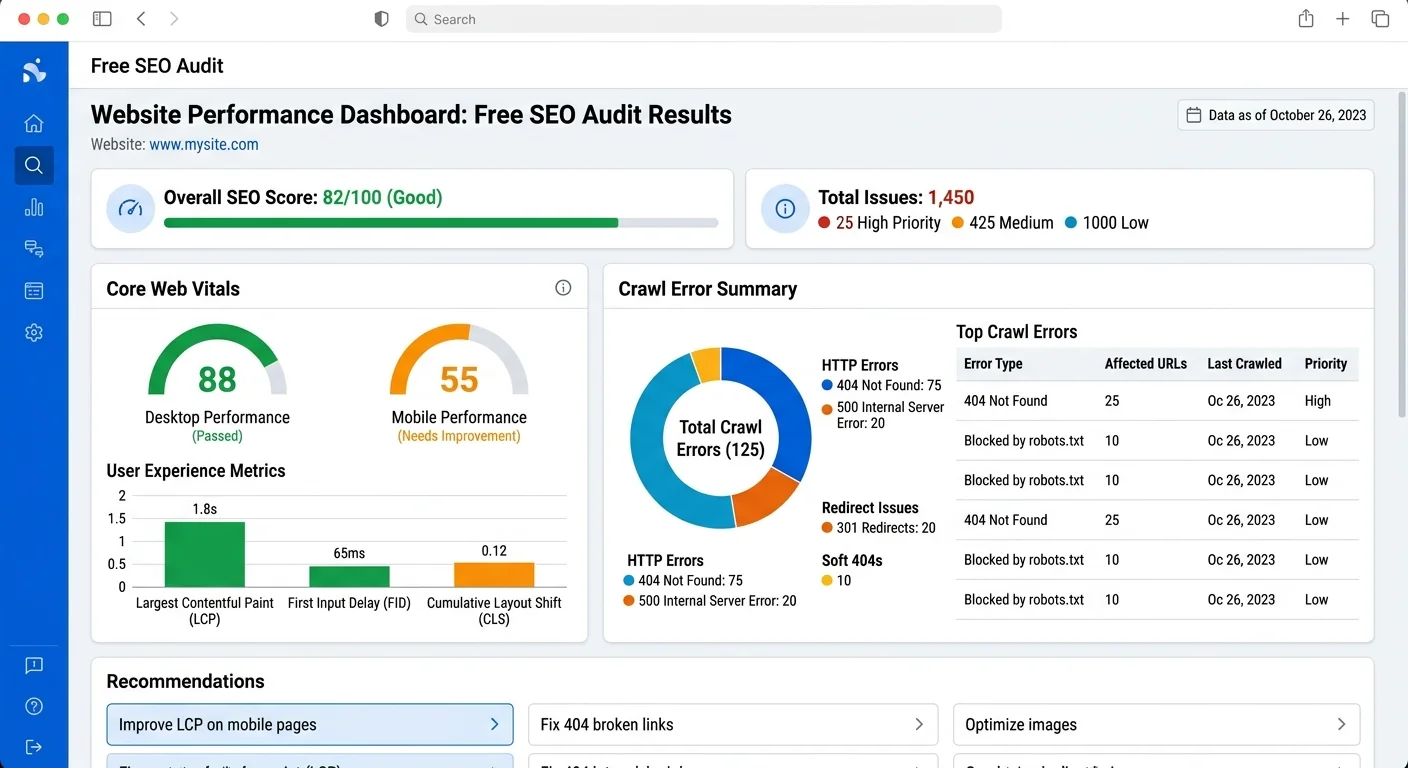
Start your technical audit with the Coverage report in Google Search Console. This shows you pages that are indexed, excluded, or contain errors. Common issues include redirect chains, 404 errors, pages blocked by robots.txt, and noindex tags applied accidentally. Every page with an error is a missed opportunity. Fix the high-priority errors first, meaning pages that should be indexed but aren't, then work through warnings.
Some "excluded" pages in GSC are intentional, like paginated archives or tag pages. Don't try to fix every exclusion.
Core Web Vitals deserve serious attention because they directly influence ranking. Run your top twenty landing pages through PageSpeed Insights and note any that fail LCP (Largest Contentful Paint), FID (First Input Delay), or CLS (Cumulative Layout Shift) thresholds. Common fixes include compressing images, deferring JavaScript, and specifying explicit dimensions for media elements. These improvements simultaneously help rankings and user experience.
Finally, check your site's mobile usability. Google uses mobile-first indexing, which means the mobile version of your site is what gets evaluated for rankings. Search Console's Mobile Usability report flags issues like text too small to read, clickable elements too close together, and content wider than the screen. Fixing these problems is straightforward and often requires only CSS adjustments. A technically sound, mobile-friendly domain sends strong positive signals to search engines about your site's overall quality and reliability.
Run technical audits quarterly at minimum. Monthly is ideal for sites publishing new content regularly.
Frequently Asked Questions
?How often should I export GSC data to track domain SEO strength trends?
?Is GA4 engagement rate a better signal than bounce rate for SEO health?
?Can free backlink tools match the accuracy of paid tools like Ahrefs or Semrush?
?Does a high impression count in Search Console mean my domain SEO strength is good?
Final Thoughts
You can measure domain SEO strength comprehensively without paying for a single tool. The combination of Google Search Console, free-tier backlink analyzers, keyword tracking tools, and technical audit platforms gives you more than enough data to make informed decisions.
What matters most is consistency: run these checks regularly, track your metrics over time, and act on what the data reveals. The marketers who outperform their competitors aren't always the ones with the biggest budgets. They're the ones who measure systematically and optimize relentlessly.